Release of 2 September 2026
Every save of an AI mapping is kept as a version you can restore. New users receive an invitation to set their own password, and the AI keeps every digit of long numbers in Excel and CSV files.
Highlights
Version history for AI mappings
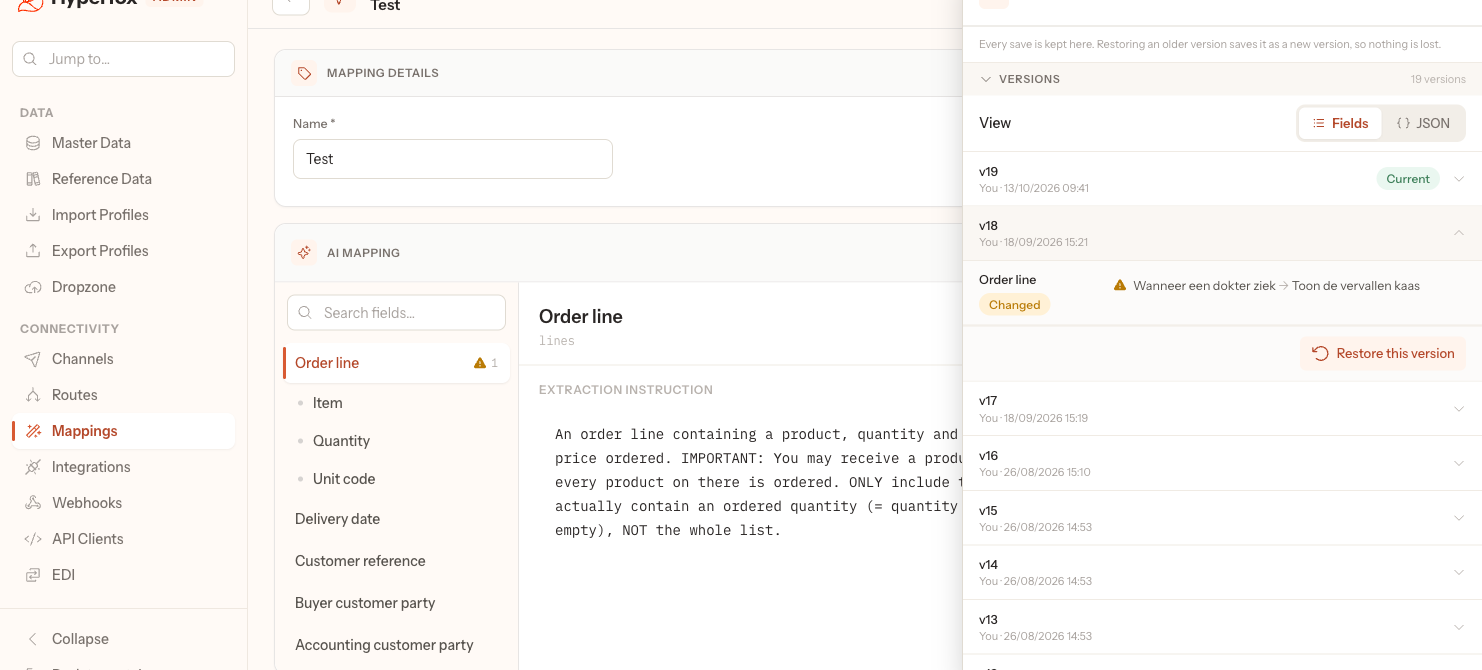
Every save of an AI mapping is kept as a version, with who saved it and when. Why: a change to an extraction instruction that makes the AI read worse can be undone without rebuilding the mapping from memory. How it works: Version history lists every save, and Restore this version saves the older content as a new version, so nothing is lost; see Steer how the AI reads a field › Restore an earlier version.
Changed
- When an admin adds a user, Hyperfox e-mails the new user a link to set their own password instead of the admin choosing one, and Resend invite sends a new link; see Add, change and remove users › What the new user receives.
Fixed
- The AI reads long numbers in Excel and CSV order files, such as a customer code, with all their digits instead of a rounded number; see How the AI reads an order › Read the document.